Lab

2011年1月4日 星期二

Lab 39 Packet Sniffer

1. Install Protocol Analyzer Ethereal at http://www.wireshark.org/
2. Capture the packets at your Ethernet interface card.
3. Enter a login required website that you often go to, such as web mail. Don't use the real account or password.
4. Try to catch the packet that contains the password.

                                                                   輸入帳號:9726248
輸入密碼:12345

2011年1月3日 星期一

Lab 38: Google Analytics

1. Enter Google Analytics
2. Put the code provided by Google Analytics in your own blog.
3. Check the results to see the daily traffic chart, the recent visitors by locations.

2010年12月13日 星期一

Lab 37 製作一個報名網站

Lab 36 Speed Test

測試中原大學與中央大學對外頻寬速度。

Tool: Speedtest
cycu proxy: proxy.cycu.edu.tw:3128
ncu proxy.csie.ncu.edu.tw:3128
no proxy


no proxy
 中央大學
 中原大學

2010年12月6日 星期一

Lab 35: Blog Cloud


Build a blog cloud for your blog.


Lab 33 匯出部落格

1. 將你的部落格匯出為 XML,請使用blogspot 已經提供的匯出工具
2. 在blogspot 新建一個空白部落格。
3. 將剛才匯出部落格匯入到新的部落格
4. 檢查匯出情況,是否有出現異常,資料遺失或被變更?

文章資料並沒有遺失,但是無法匯出,我認為可能的原因是網誌範本介面不一樣,導致文章無法出現在框框內!!!

Lab 34 Syndication with RSS 2.0

1. 進入你的部落格,登入,選擇自訂
2. 新增小工具
3. 選取
資 訊提供 新增
將 RSS 或 Atom 資訊提供的內容加入您的網誌。

Blogger 製作

4. 撰寫或貼上所需連結(範例)


2010年11月23日 星期二

Lab 32: DOM

1. Open KompoZer
2. Based on the code as in

http://www.scottandrew.com/weblog/articles/dom_4 ,
write a code to generate the table of 9*9 products. (九九乘法表)

Hint: The javascript code should be enclosed by script tags.
 

2010年11月22日 星期一

Lab 31: Create Image using DOM

1. Open KompoZer
2. Hand code a javascript that loads an image from Internet based on
the DOM model.
3. Take a look at the sample code that shows how window.onload to load the image.
4. Use a button to load the image. Try how onclick works.

2010年11月8日 星期一

Lab 29 Hand code a form

Hand code a HTML or use KompoZer to edit an HTML so that the webpage can send a request to Google like
http://maps.google.com/maps?q=24.9586,+121.24114

Use Form CGI that includes action, input, and submit.
Try a few different coordinates.


Lab 28 Lab Form and Action

開啟網頁


 method "get" or "post" 選擇方法


method="GET" 查詢結果


method="POST"  查詢結果


Lab 30 navigation bar

1. 進入你的部落格,登入,選擇自訂
2. 新增小工具
3. 選取
HTML/JavaScript
4. 撰寫或貼上所需連結(範例)


2010年11月1日 星期一

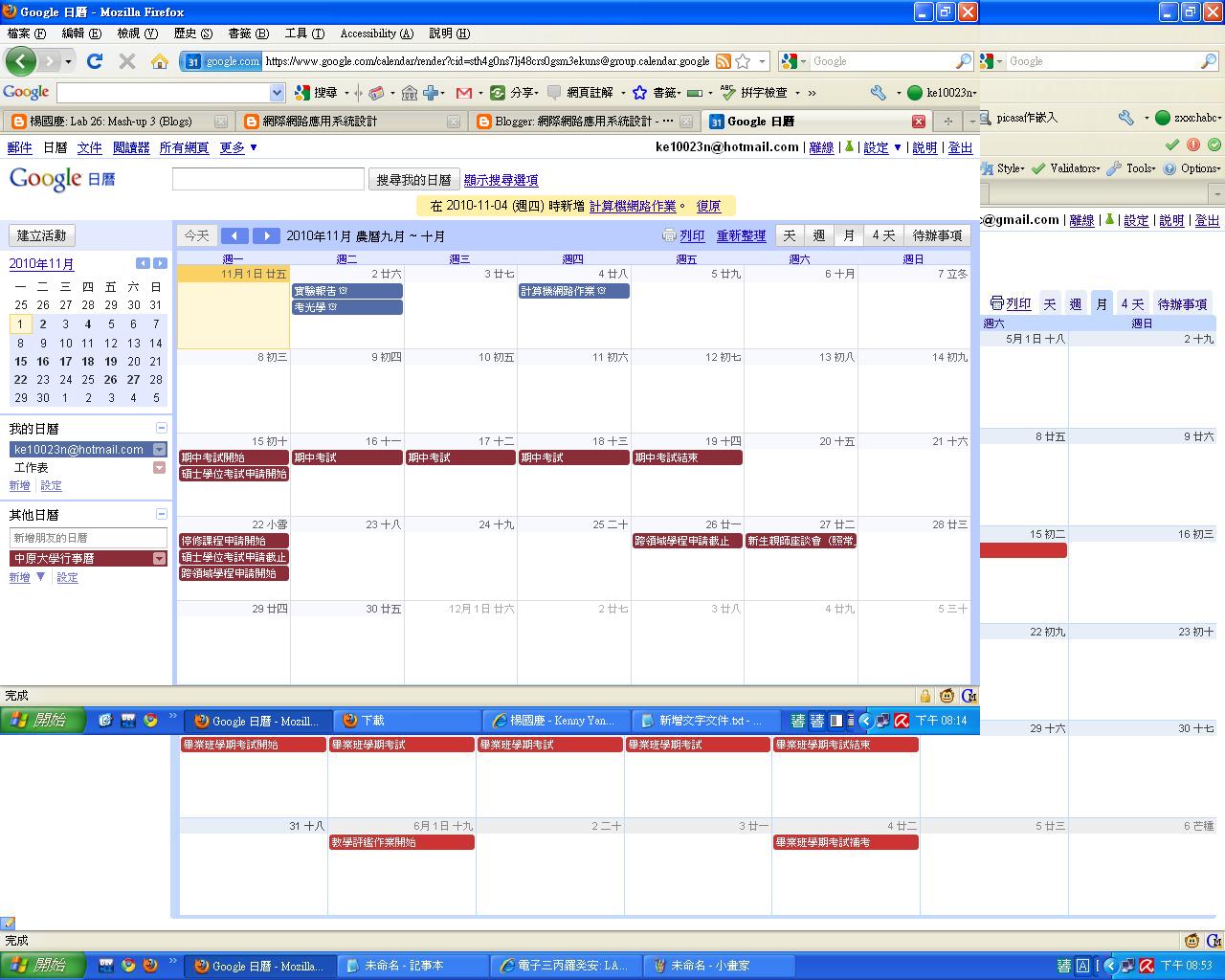
Lab 27: Mash-Up 4 (Calendars)

建立你的行事曆,並與學校行事曆合併
Google日曆-中原大學行事曆-html版本<http://www.google.com/calendar/embed?src=sth4g0ns7lj48crs0gsm3ekuns%4...>
進入後按右下角+Google日曆即可訂閱

Lab 25: Mash-up 2 (Maps)

真實案例
96年度全人關懷獎 -崔媽媽科技服務工作團隊


For housing services, compare the following two websites
http://www.housingmaps.com

http://www.7house.com.tw

List the differences in the user interface design and usability. Make comments
by your use experiences.


比較:
1.美感:7house的網站相對之下比較有美感,housingmaps則是呈現簡單的風格
2.直覺性:housingmaps簡單明瞭的列出你所需要的房子地點、價錢、更新日期
3.流暢:housingmaps的使用上較7house好用
3.預期反應:我認為housingmaps整體的使用上較得心應手,雖然美觀較不起眼,但實用度卻 是較7house來的好

Lab 26: Mash-up 3 (Blogs)

部落格與相本的結合運用。透過部落格分享你的照片集,省去傳送大量照片的缺點,自由書寫照片中的故事。

Create a slide show of your album. Embed the album in your blog.

Lab 24: Mash-up 1 (Publish)

1. Upload a sample ppt to Google Docs.
2. Publish the uploaded ppt.
3. Embed the online ppt to your blog.

The reason to do so is that the readers don't have to have ppt to view your presentation. For example, some users work with Linux or Unix, and others work with MacOS. They will appreciate you for doing so.


期中報告

中華棒球代表隊網站建議書草案

定位:
介紹中華棒球代表隊的歷史及近10年重要比賽

背景:
2001年世界盃棒球賽在台灣舉行,也是我接觸棒球的開始,比起職業比賽,我更喜愛中華隊的比賽,畢竟充滿愛國情結的國際賽事和職業賽是不同的

新功能:
1.以簡單的文字及數據呈現比賽的內容
2.用精采影片加以呈現,可大大增加讀者對於內容的感受

My Google Site:https://sites.google.com/site/chinesetaipeibaseball/home

2010年10月26日 星期二

2010年10月25日 星期一

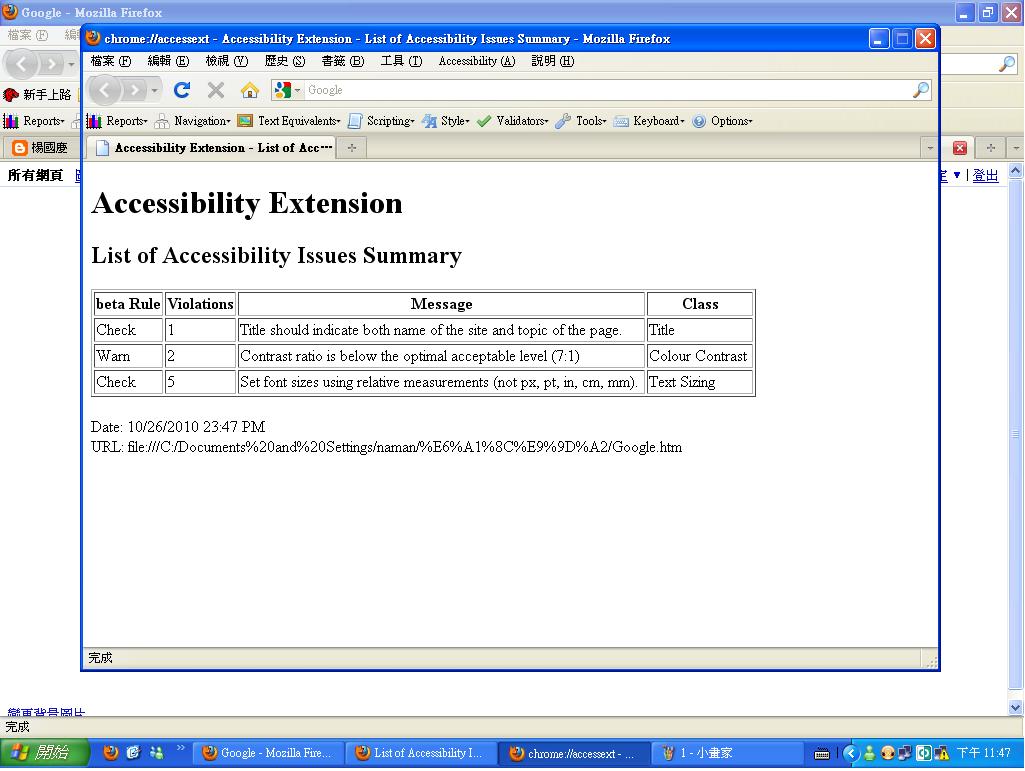
Lab 22 Firefox Accessibility Extension

Use Firefox Accessibility Extension to check the accessibility of three sites that you visit most.
Report the summary of all the errors and warnings for each site.

1.MLB
2.facebook
3.奇摩

2010年10月18日 星期一

Lab 21: Making images accessible

1. Study what an ALT tag is.
2. Use KompoZer to edit the following homepage
at http://bloggercamp.blogspot.com/2007/01/2007.html

You can copy and paste the content to your KompoZer.

3. Save your editings and preview your webpage using Firefox

4. Make the webpage accessible by
adding ALT text to the images.

5. Go to the Firefox Add-ons site for Firefox Accessibility Extension

6. Click the "Install now" button on the add-ons website

7. Check whether you can see the ALT text for the images by selecting the "Show Text Equivalent" function.