Lab

顯示具有 Lab 標籤的文章。 顯示所有文章

2011年1月4日 星期二

Lab 39 Packet Sniffer

1. Install Protocol Analyzer Ethereal at http://www.wireshark.org/
2. Capture the packets at your Ethernet interface card.
3. Enter a login required website that you often go to, such as web mail. Don't use the real account or password.
4. Try to catch the packet that contains the password.

                                                                   輸入帳號:9726248
輸入密碼:12345

2011年1月3日 星期一

Lab 38: Google Analytics

1. Enter Google Analytics
2. Put the code provided by Google Analytics in your own blog.
3. Check the results to see the daily traffic chart, the recent visitors by locations.

2010年12月13日 星期一

Lab 36 Speed Test

測試中原大學與中央大學對外頻寬速度。

Tool: Speedtest
cycu proxy: proxy.cycu.edu.tw:3128
ncu proxy.csie.ncu.edu.tw:3128
no proxy


no proxy
 中央大學
 中原大學

2010年12月6日 星期一

Lab 35: Blog Cloud


Build a blog cloud for your blog.


Lab 34 Syndication with RSS 2.0

1. 進入你的部落格,登入,選擇自訂
2. 新增小工具
3. 選取
資 訊提供 新增
將 RSS 或 Atom 資訊提供的內容加入您的網誌。

Blogger 製作

4. 撰寫或貼上所需連結(範例)


2010年11月23日 星期二

Lab 32: DOM

1. Open KompoZer
2. Based on the code as in

http://www.scottandrew.com/weblog/articles/dom_4 ,
write a code to generate the table of 9*9 products. (九九乘法表)

Hint: The javascript code should be enclosed by script tags.
 

2010年11月22日 星期一

Lab 31: Create Image using DOM

1. Open KompoZer
2. Hand code a javascript that loads an image from Internet based on
the DOM model.
3. Take a look at the sample code that shows how window.onload to load the image.
4. Use a button to load the image. Try how onclick works.

2010年11月8日 星期一

Lab 28 Lab Form and Action

開啟網頁


 method "get" or "post" 選擇方法


method="GET" 查詢結果


method="POST"  查詢結果


Lab 30 navigation bar

1. 進入你的部落格,登入,選擇自訂
2. 新增小工具
3. 選取
HTML/JavaScript
4. 撰寫或貼上所需連結(範例)


2010年11月1日 星期一

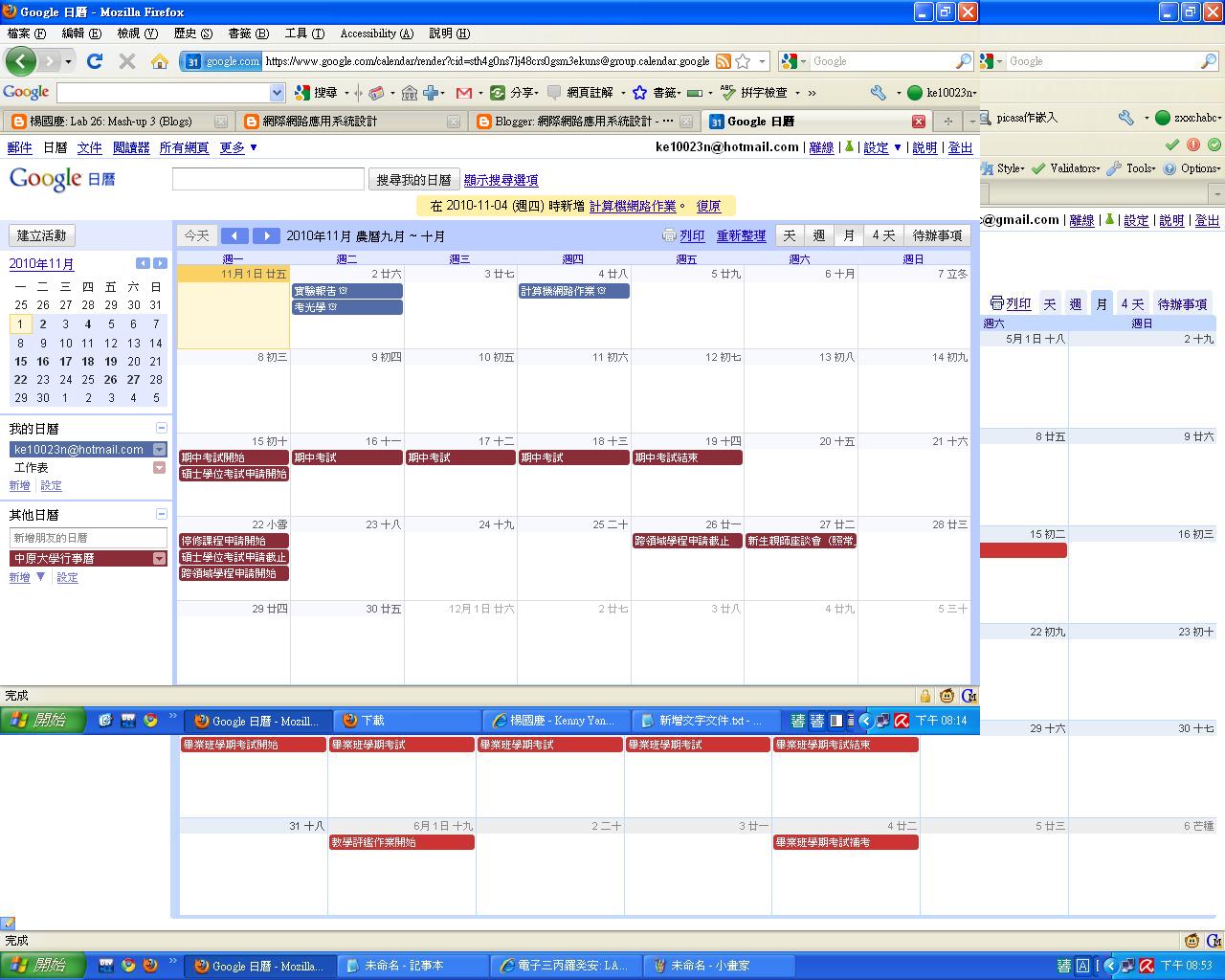
Lab 27: Mash-Up 4 (Calendars)

建立你的行事曆,並與學校行事曆合併
Google日曆-中原大學行事曆-html版本<http://www.google.com/calendar/embed?src=sth4g0ns7lj48crs0gsm3ekuns%4...>
進入後按右下角+Google日曆即可訂閱

2010年10月26日 星期二

2010年10月25日 星期一

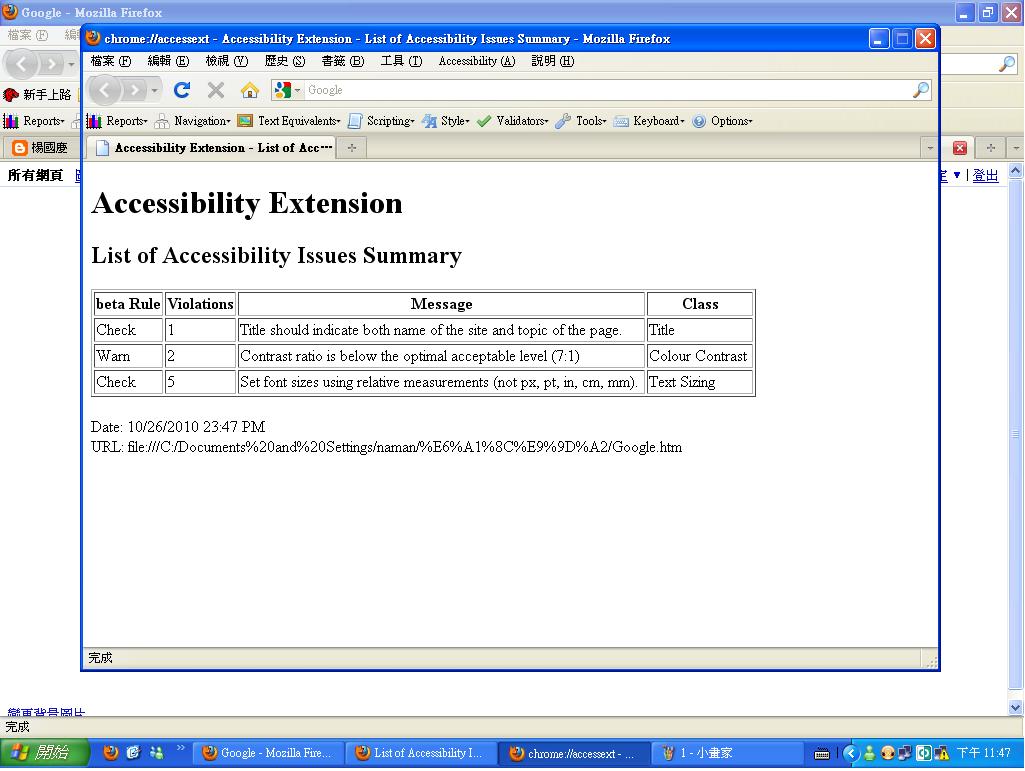
Lab 22 Firefox Accessibility Extension

Use Firefox Accessibility Extension to check the accessibility of three sites that you visit most.
Report the summary of all the errors and warnings for each site.

1.MLB
2.facebook
3.奇摩

2010年10月18日 星期一

Lab 21: Making images accessible

1. Study what an ALT tag is.
2. Use KompoZer to edit the following homepage
at http://bloggercamp.blogspot.com/2007/01/2007.html

You can copy and paste the content to your KompoZer.

3. Save your editings and preview your webpage using Firefox

4. Make the webpage accessible by
adding ALT text to the images.

5. Go to the Firefox Add-ons site for Firefox Accessibility Extension

6. Click the "Install now" button on the add-ons website

7. Check whether you can see the ALT text for the images by selecting the "Show Text Equivalent" function.


Lab 20 More on HTML

Headings
1. Copy and paste the Headings example athttp://www.w3schools.com/html/html_primary.asp
2. Enter http://www.w3schools.com/html/tryit.asp?filename=tryhtml_basic
3. What kind of effects can you see?

Lists
4. Copy and paste the Headings example athttp://www.w3schools.com/html/html_lists.asp
5. Enter http://www.w3schools.com/html/tryit.asp?filename=tryhtml_basic
6. What kind of effects can you see?


                                          1.語法變換,字體大小改變

2.根據語法類型,可得不同項目符號作為條列

Lab 19 HTML

Preparation

1. Using Microsoft Notepad, Copy and paste the HTML example at Introduction to HTML
2. Save the file as myfile.html
3. Open the file using Firefox.

New editor
4. Enter http://www.w3schools.com/html/tryit.asp?filename=tryhtml_basic
5. Copy and paste the HTML example at Introduction to HTML
6. Verify your results on the screen.


                                          1.複製HTML語法


                                          2.轉貼語法後得到的反應

Lab 18 Comparing browsers

Install Google Browser Google Chrome and Firefox 3.0, try a few websites and compare their performance. For example, youtube, blogspot, msn, and yahoo

兩者瀏覽器最大的不同就是介面的簡單與否,明顯的google瀏覽器是比firefox來個乾淨簡單
但相對的firefox的功能卻比google瀏覽器來的齊全
至於瀏覽速度兩者差不多,而開啟來覽器的速度則是google瀏覽器較為快速


2010年10月11日 星期一

Lab 17: AccessBar

1.
                                                         3個!!  行政院環保署
                                                                       4個!!僑委會
2.
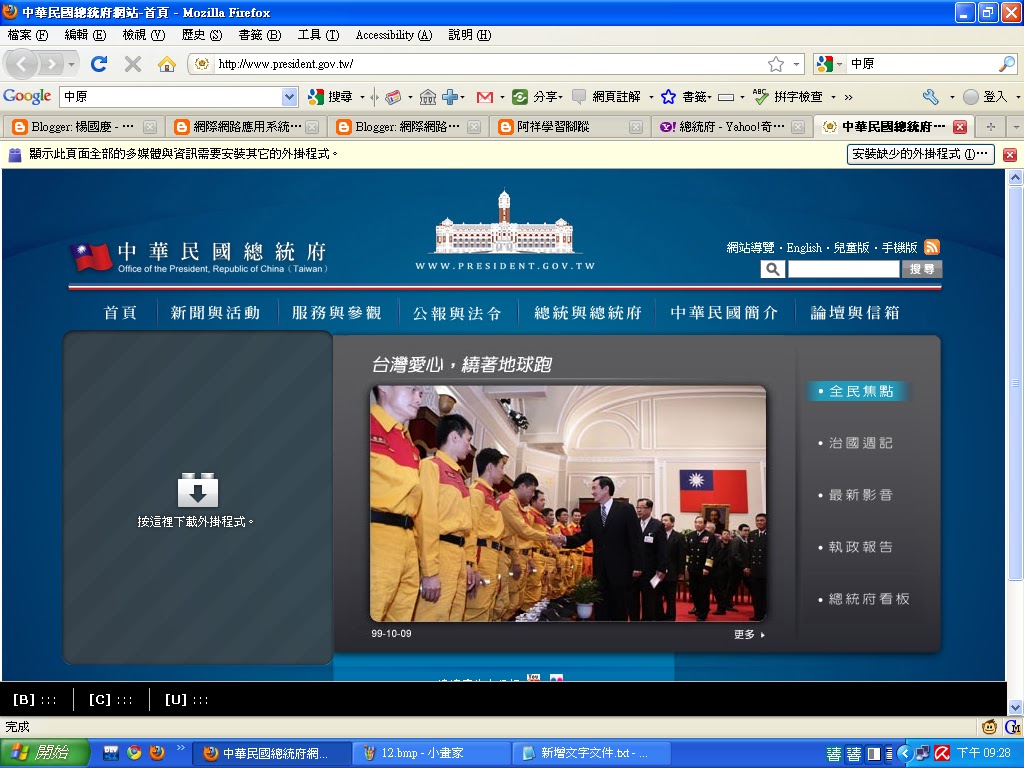
                                                                            3個!!!  總統府
                                                                          3個!!  行政院
                                                                        6個!!  國防部

Lab 16: Accessibility in GreaseMonkey

  1. Google Search Keys Numbers the results in a Google search page and you can type the corresponding number to follow the link. Updated: 2005-04-26. more
  2. Google Access Keys Enables navigation through Google search results.

Lab 15 Clean Language

1.


 2.Use Google to search webpages that contains some bad words.


Lab 14 Greasemonkey


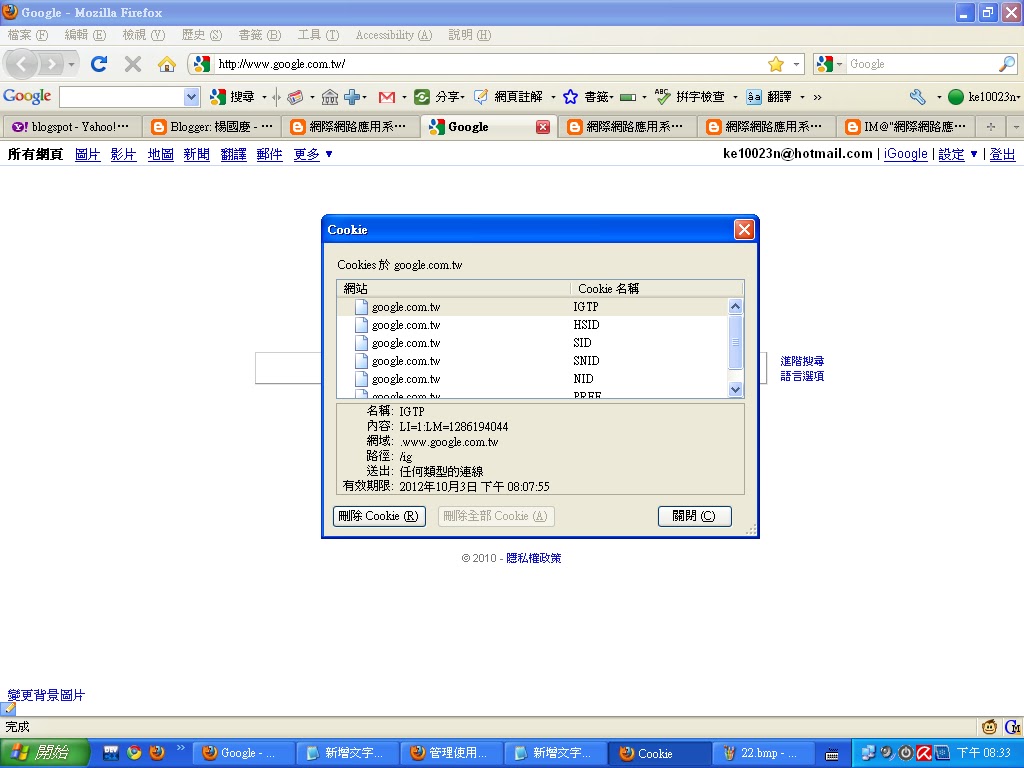
1. Check the lower right corner of your Firefox and you should find a monkey at the right. Note that you must run the

2.
                                                                     class blog


                                                                 http://www.nytimes.com

                                                                              google

Does our class blog use cookie or not? Does google use cookie?
均有使用!!!

3.